Download LinkedIn Video Online
MediaPuller is an online LinkedIn video and image downloader for public posts. Paste a direct LinkedIn post URL, select Go, and the page will inspect the media variants made publicly available for that post. Native videos are listed as MP4 files, while supported image posts return the public picture file.
The downloader is useful when you need an offline copy of your own presentation, product demo, event recap, company update or licensed professional content. It works in the browser without a LinkedIn password and does not permanently store the downloaded multimedia on the MediaPuller server.
Download a Public LinkedIn Video or Photo
A LinkedIn feed can contain native videos, external embeds, document carousels and ordinary image posts. MediaPuller focuses on a single public post URL. For a native LinkedIn video, it detects the direct MP4 qualities exposed by the post. For a public photo post without a native video, it reads the image metadata available on the public page.
Submit the address of the individual post rather than a profile, company page, search page or feed homepage. Private posts, deleted publications, login-only media, LinkedIn Learning lessons, live events and external videos hosted on another platform may require a different workflow and are not treated as ordinary public post downloads.
How to Download LinkedIn Videos and Images
Step 1. Open the public LinkedIn post containing the video or image you want to save.
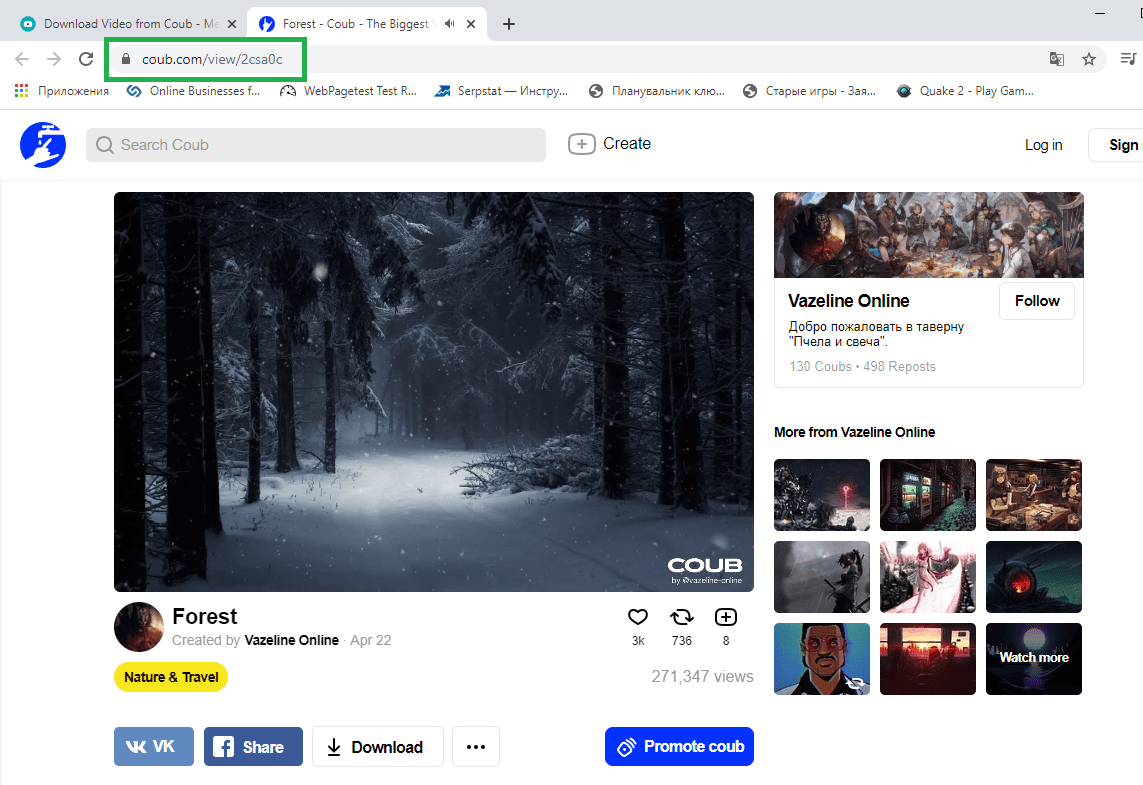
Step 2. Use the post menu to copy its link, or copy the complete URL from the browser address bar.
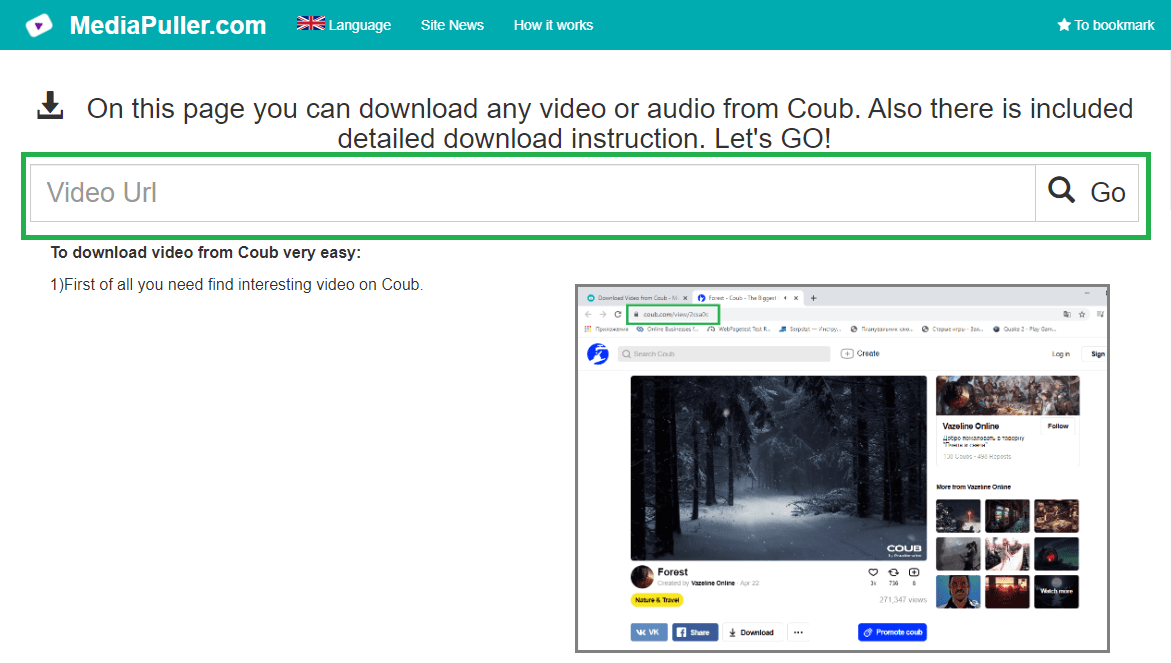
Step 3. Paste the LinkedIn URL into MediaPuller and click Go.
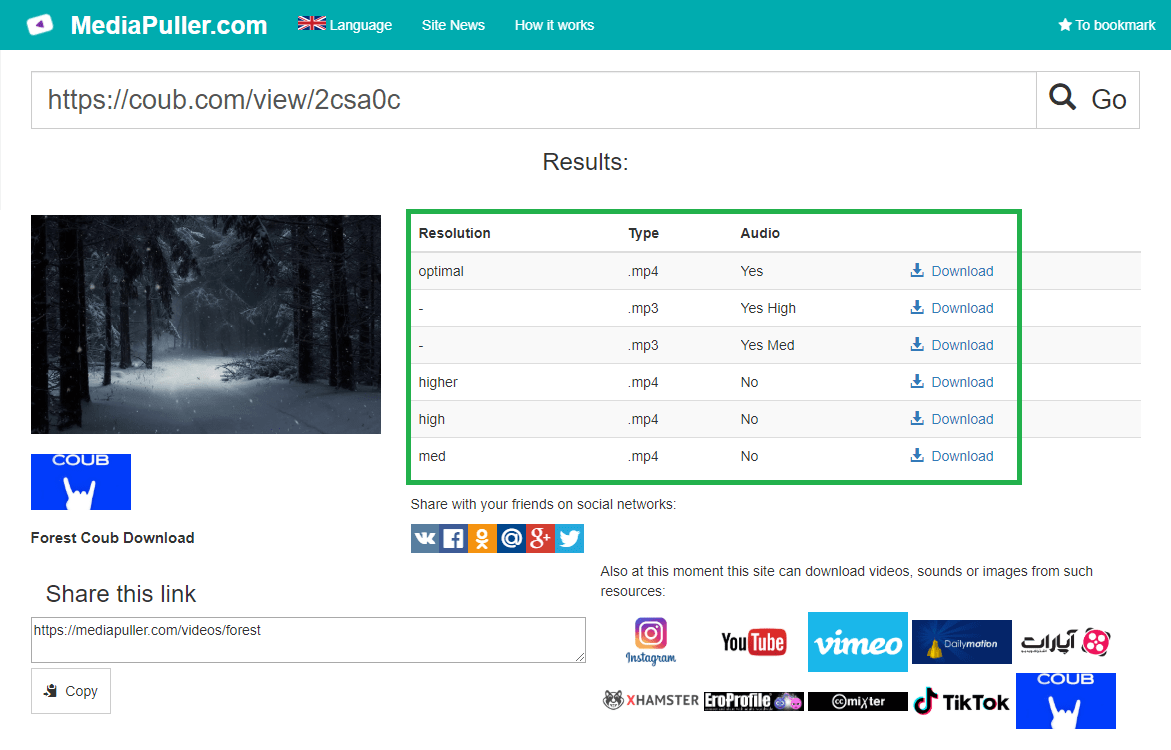
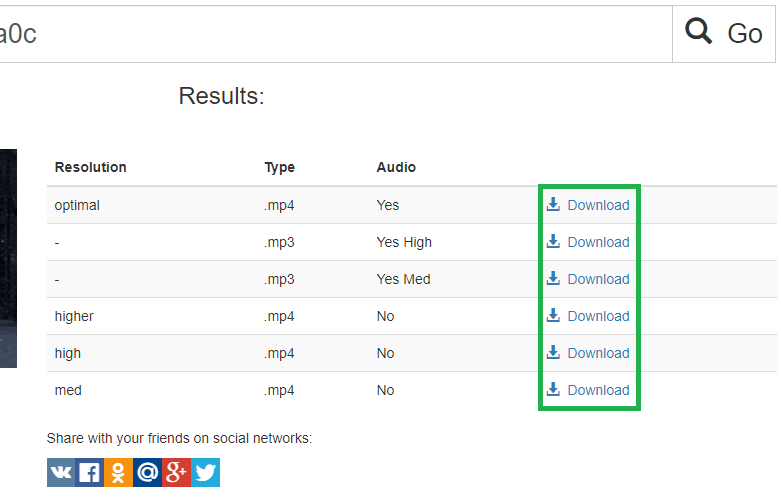
Step 4. Review the detected MP4 quality or image file and use the download link to save it.
LinkedIn MP4 Quality and Public Images
When LinkedIn exposes more than one native MP4 stream, MediaPuller lists the available qualities separately so you can choose the suitable version. The service does not upscale a low-resolution clip, invent a 4K file, remove branding embedded in the frames or convert an external player into a LinkedIn video. Image results use the public image address advertised by the post page.
LinkedIn Downloader for Phone and Computer
The workflow runs in current browsers on Android, iPhone, iPad, Windows, macOS and Linux. Desktop and Android browsers normally save the file to Downloads. Safari on iPhone or iPad may preview the MP4 or image first; use the browser Share or download control to save it to Files or Photos, depending on the media type and device settings.
Why a LinkedIn Post May Not Download
Confirm that the link opens one public post and that its native media still plays or displays. Extraction can fail when the author limits visibility, removes the post, LinkedIn requires sign-in, the publication contains only a document carousel, or the visible player is an embed from another website. Temporary LinkedIn changes or expired media links can also require you to submit the post URL again.
Download Professional Media Responsibly
Public visibility does not automatically grant permission to republish a creator's work. Download your own uploads, company assets you manage, public-domain files, licensed material or media whose owner has allowed reuse. Respect copyright, privacy, confidential business information, the creator's attribution requirements and LinkedIn's terms.
LinkedIn Video and Image Downloader FAQ
Which LinkedIn URLs are supported?
Use a direct URL to one public LinkedIn feed update or post. Profile pages, company feeds, search results and general home feeds do not identify one media item.
Can MediaPuller download LinkedIn videos as MP4?
Yes. When a public post contains a native LinkedIn video, the available direct MP4 qualities are listed.
Can I download pictures from a LinkedIn post?
Supported public image posts return the image advertised in the page metadata. Private images and document carousels are not bypassed.
Do I need to log in to LinkedIn?
No account credentials are requested for media that LinkedIn makes publicly accessible. Login-only posts cannot be downloaded through the public workflow.
Does the downloader store LinkedIn videos?
MediaPuller resolves the public media address and does not permanently archive the LinkedIn multimedia on its server.