Download Rumble Video Online
MediaPuller is an online Rumble video downloader for public uploads, recorded live streams and video replays. Paste the direct address of a Rumble video, click Go, and choose from the qualities that Rumble currently makes available for that page.
Results reflect the original delivery format. Some Rumble videos provide a direct MP4 or WebM file, while broadcasts and replays may be delivered as HLS and are correctly labelled M3U8. MediaPuller does not pretend that a stream playlist is an MP4 and does not re-encode the video.
Download Rumble Videos Online in the Available Quality
Rumble hosts creator videos, interviews, news, podcasts with video, long-form shows and live broadcasts. The downloader reads one public video page and returns the usable video variants in the same clear results list as the site's other tools. When Rumble exposes HD or Full HD renditions, you can compare 360p, 720p, 1080p and any other available resolution before opening the selected file or stream.
Use a direct rumble.com/v...html video link or a public Rumble embed URL. Channel, category and search pages do not identify one video and therefore are not accepted. No Rumble login or browser extension is required for normally accessible public content.
How to Download a Rumble Video
Step 1. Open the exact public Rumble video or finished live-stream replay you want to save.
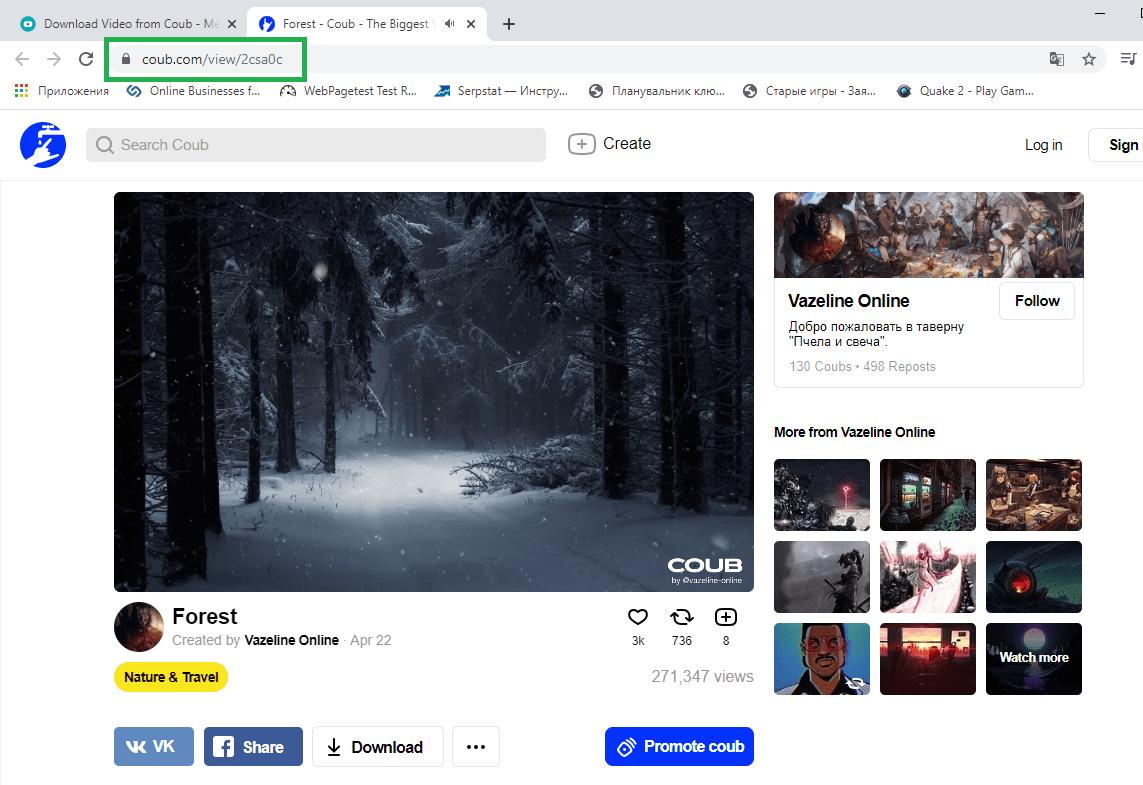
Step 2. Copy the full URL from the browser address bar or the video's Share command.
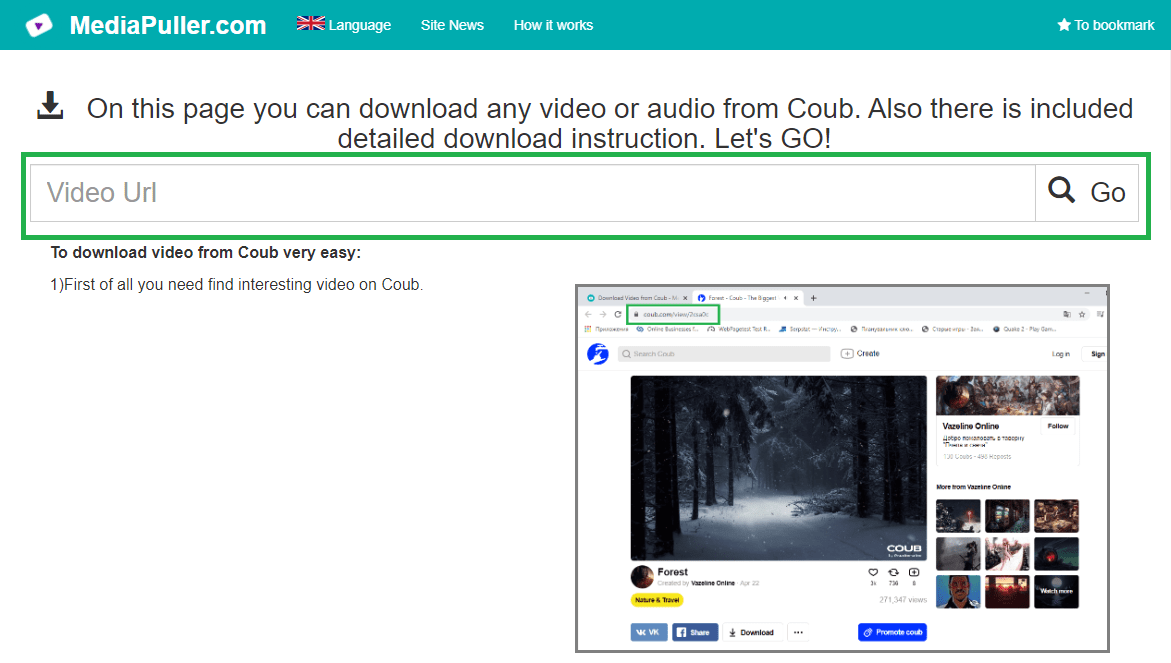
Step 3. Paste the link into MediaPuller and click Go to detect the available formats.
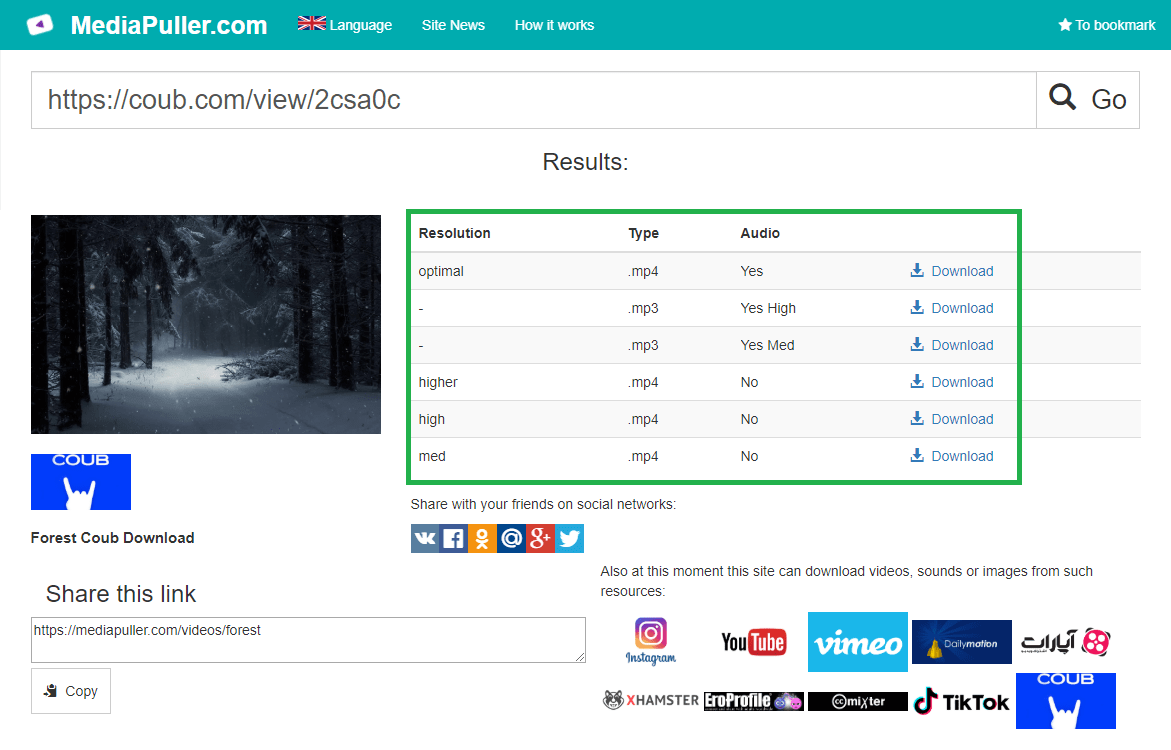
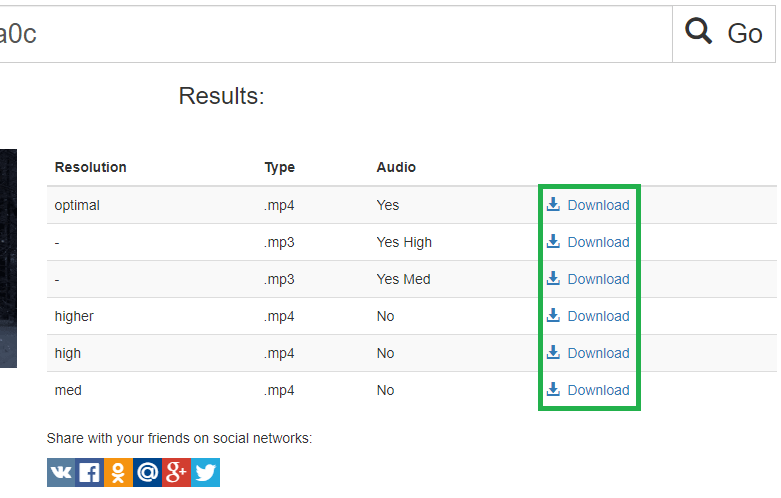
Step 4. Select the required quality. Direct files are labelled MP4 or WebM; adaptive Rumble streams are labelled M3U8.
Rumble Downloader for iPhone, Android and Desktop
The tool runs in current mobile and desktop browsers without installing software. A direct video file may download immediately or open in the browser player. An M3U8 result can be opened by a compatible media player; on a phone, use the Save, Download or Share command offered by the browser or player. Available quality depends on the source video, not on the device used to submit the link.
Why a Rumble Video May Not Be Available
The creator may have removed the upload, the page may be private or restricted, a live event may not yet have a playable replay, or Rumble may not expose a usable public format. Check that the address opens without signing in and that it points to one video rather than a channel. MediaPuller does not bypass accounts, subscriptions, geographic limits or access controls.
Download Public Rumble Content Responsibly
Save only videos you created or are authorized to download. A public page does not automatically grant permission to republish, edit, sell or monetize another creator's work. Respect copyright, the publisher's rights, Rumble's terms and the law that applies to you.
Rumble Video Downloader FAQ
Can I download a Rumble video in 1080p?
Yes, when the source page exposes a 1080p rendition. MediaPuller lists the qualities actually returned by Rumble and does not upscale lower-resolution video.
Why is a result labelled M3U8 instead of MP4?
Some Rumble broadcasts and replays use HLS streaming. M3U8 is the real playlist format supplied for that quality, so it is shown accurately instead of being renamed MP4.
Can I process a Rumble live-stream replay?
Yes, after Rumble makes the replay publicly playable. Its available HLS or direct video qualities will appear in the results.
Do I need a Rumble account or extension?
No. Public video pages that open normally can be processed without a Rumble account or browser extension.
Can MediaPuller unlock private or restricted Rumble videos?
No. The downloader does not bypass login, privacy, subscription, regional or removal restrictions.