Download OK.ru Video Online
MediaPuller is an online OK.ru video downloader for public videos hosted on OK and Odnoklassniki. Paste the direct address of one video, select Go, and choose an MP4 quality exposed by the public OK video player.
The tool is useful for saving your own uploads, licensed recordings, educational material you are authorised to keep, or other public videos whose owner permits downloading. It works without asking for your OK.ru password, does not bypass private access and does not permanently archive the downloaded multimedia on the MediaPuller server.
Download Public OK.ru Videos as MP4
OK.ru may prepare several files of the same video for different screens and connection speeds. MediaPuller reads the public player information and lists the available files separately. Depending on the original upload, a result can include mobile, SD, HD, Full HD or another quality supplied by OK. MediaPuller does not upscale a small video or create a missing 1080p version. When OK.ru embeds a supported external provider, MediaPuller resolves the original public streams instead.
Submit a direct address such as ok.ru/video/video-id or a public OK embed address. Profile pages, group feeds, search results, albums, paid publications, private videos and deleted media do not identify an ordinary public downloadable video. A supported public YouTube, VK or other external player is followed automatically.
How to Download a Video from OK.ru
Step 1. Open the public OK.ru video you want to save and confirm that it plays without signing in.
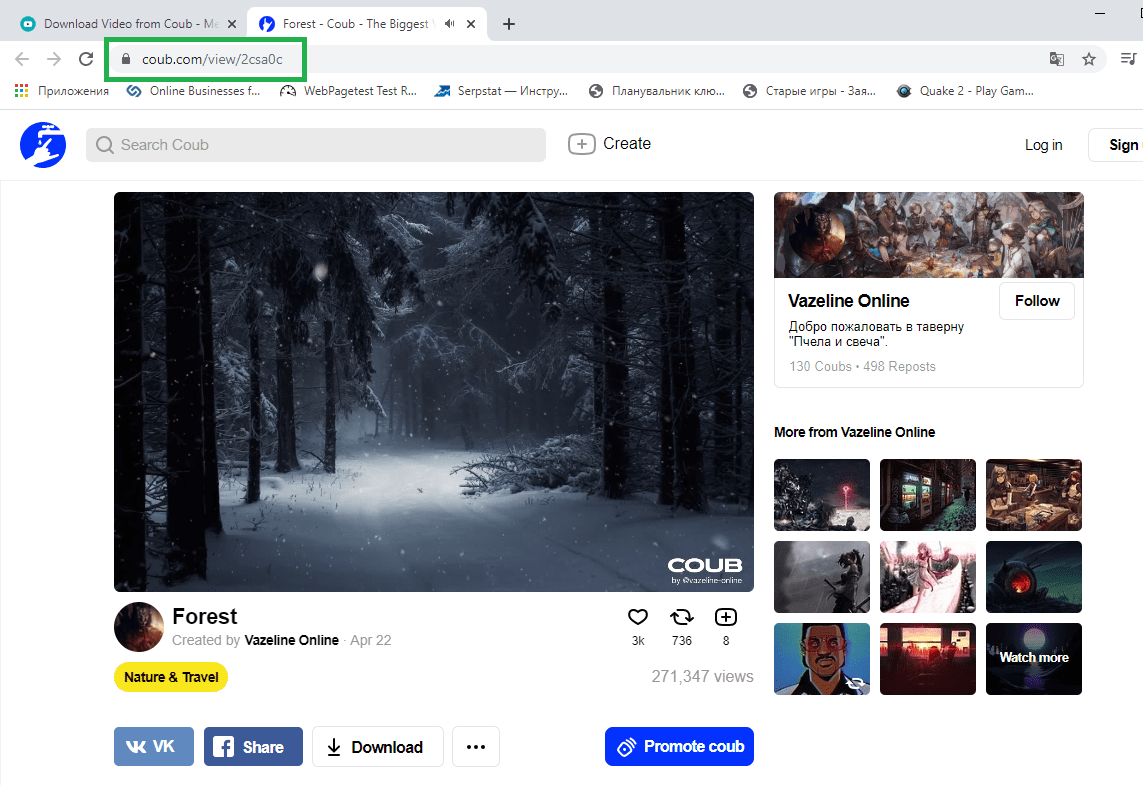
Step 2. Use the Share menu to copy the direct video link, or copy the complete address from the browser bar.
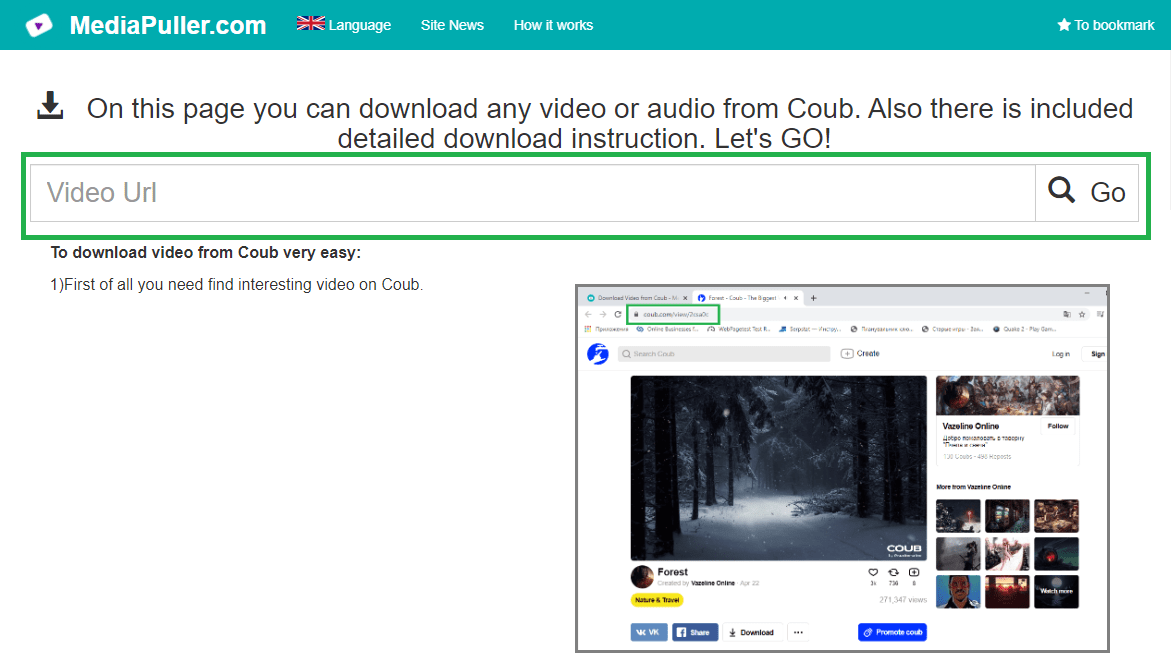
Step 3. Paste the OK.ru link into MediaPuller and click Go.
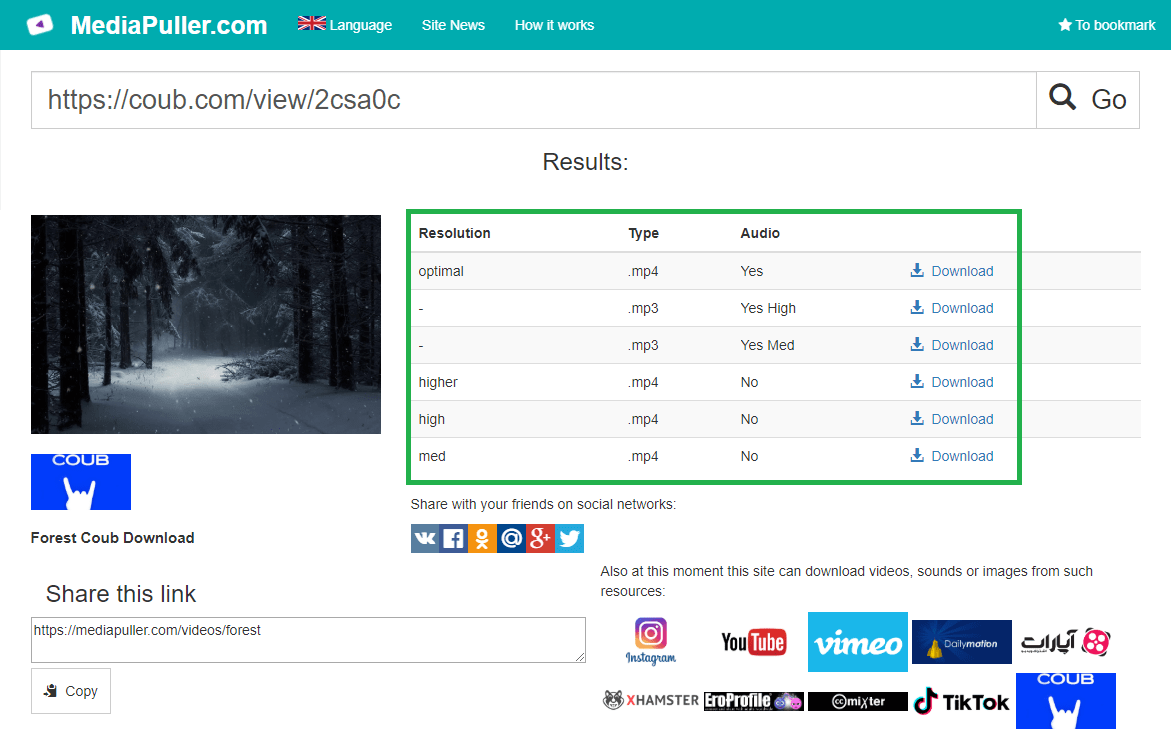
Step 4. Review the detected qualities and use the download link for the MP4 version you prefer.
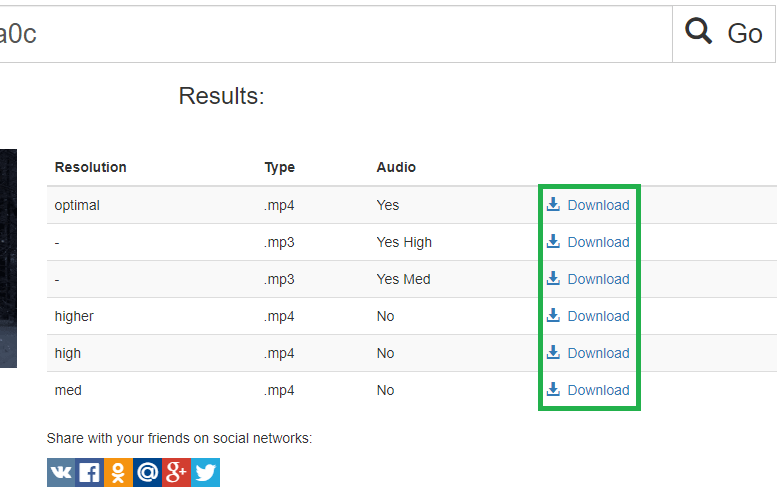
Choose the Available OK Video Quality
MediaPuller preserves the variants provided by the source player. A higher resolution can look sharper but normally creates a larger download, while a mobile or SD file can be more practical on a limited connection. The exact list differs from one publication to another because it depends on the uploaded source and the formats currently made public by OK.ru.
OK.ru Downloader for Mobile and Desktop
The workflow runs in current browsers on Android, iPhone, iPad, Windows, macOS and Linux. Desktop and Android browsers commonly save the selected file in Downloads. Safari on iPhone or iPad may preview the MP4 first; use Share or the browser download control to save it to Files or Photos according to your device settings.
Why an OK.ru Video Link May Fail
Check that the URL opens one public video and not a profile or feed. A result may be unavailable when the author removes the publication, limits viewing to signed-in users, enables a paid subscription, uses an unsupported external provider, or when a signed media address has expired. OK.ru is also inaccessible from some countries and hosting regions, so the server processing the link must have network access to OK before it can read the public player metadata.
Download OK Videos Responsibly
Public playback does not automatically grant permission to copy or republish a video. Save only your own content, public-domain material, licensed media, or work you have permission to access and use. Respect copyright, privacy, attribution, applicable law and the OK.ru platform rules. MediaPuller is an independent tool and is not affiliated with or endorsed by OK.ru or Odnoklassniki.
OK.ru Video Downloader FAQ
Which OK.ru links are supported?
Use a direct link to one public OK.ru video or its public embed page. Supported external players referenced by that video are resolved automatically.
Can I download an OK.ru video as MP4?
Yes. MediaPuller lists the public MP4 variants supplied by the OK player and labels the detected qualities.
Does MediaPuller convert OK videos?
No. It returns the source variants made available by OK.ru and does not invent a new resolution or re-encode the video.
Can private or paid videos be downloaded?
No. MediaPuller does not request account credentials or bypass private, paid, deleted or login-only content.
Does MediaPuller store OK.ru videos?
No permanent multimedia archive is created. The service resolves the available public media address for the requested download.